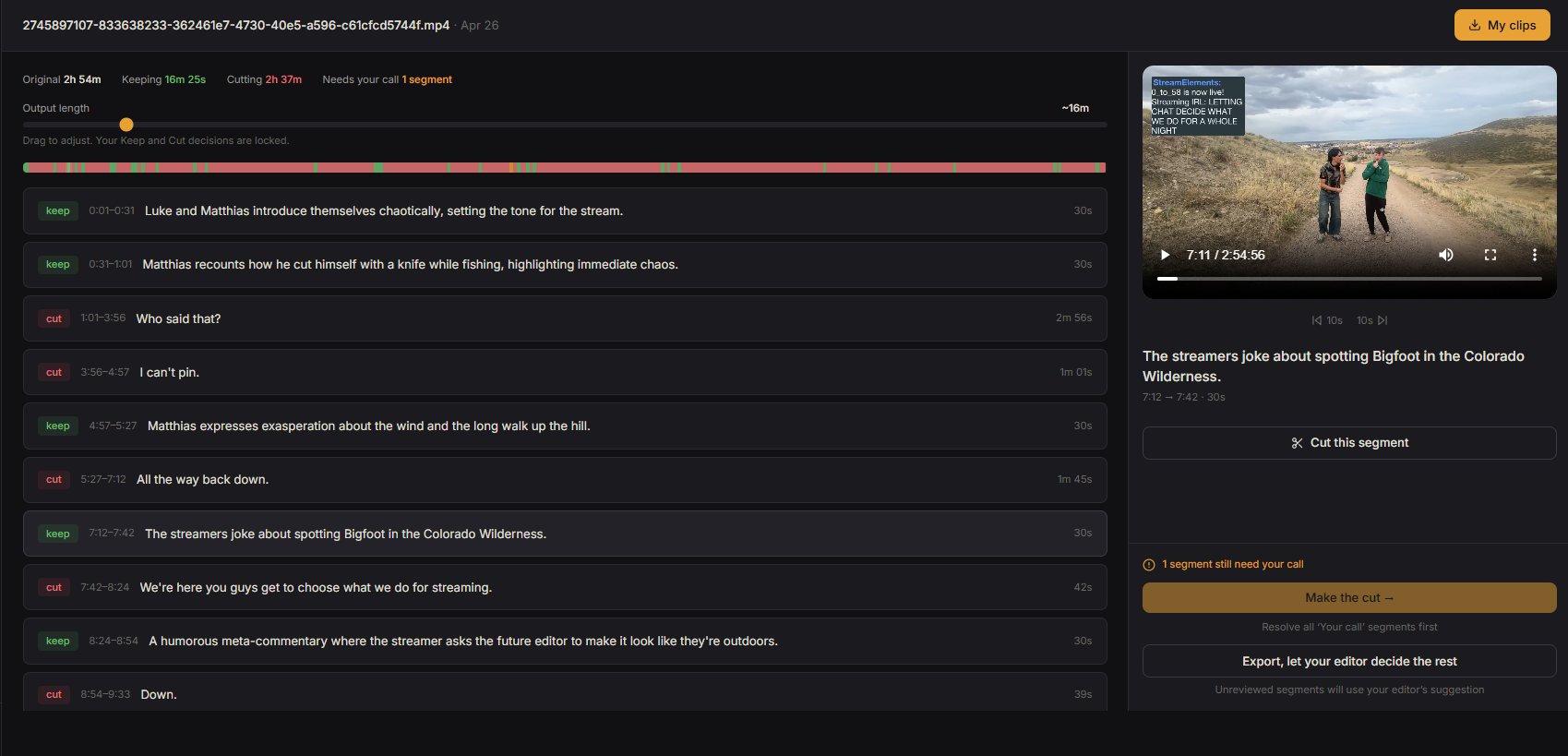
Editor suggestions
Preview any segment
You decide every cut
Upload your footage. Clip Badger watches every minute, flags the best moments, and waits for your call. You approve every cut.
A real 2h 54m video reviewed in minutes. Every segment explained, every cut your decision.
Upload your footage, review what your editor found, export. That's the whole thing.
Drop in your raw video, any length. Clip Badger starts analyzing audio, visuals, and conversation to find the moments that matter.
Every segment is marked keep, cut, or "your call." Flip any decision with one click, drag the output length slider, and approve.
Hit export. Get a clean, stitched video with only the segments you approved. Download it, upload to YouTube, done.
You film for hours. Editing shouldn't take longer than the footage itself.
Reads your transcript, understands what's happening in your footage, and flags the moments that matter. Reactions, conversations, action. No more scrubbing through hours of video.
Want a 10-minute highlight or a 30-minute recap? Slide to your target length and the timeline updates instantly. No re-processing.
Say "badger cut" while you're live and those seconds get flagged for removal automatically. No timestamps, no notes. Just keep going.
No human ever sees your footage. Fully automated processing. Source files deleted after 7 days, exports after 14. You own everything.
No subscription. No monthly charges. Buy a pack of processing hours and use them at your own pace. Credits never expire.
Auto-clippers chop your footage into random viral clips. Clip Badger edits your full video like a real editor would.
Depends on video length. A 1-hour video typically takes 30 to 60 minutes. You'll get an email when your timeline is ready to review.
Never. Clip Badger suggests which segments to keep or cut, but every decision is yours. Nothing gets exported without your explicit approval.
Any content type. Gaming, vlogs, travel, cooking, fitness, outdoor adventures. If you have raw footage and want to edit it down, Clip Badger can handle it.
No. Everything is processed automatically. No human ever sees it. Source files are deleted after 7 days, exports after 14.
You start with 60 free minutes, no credit card required. When you're ready to process more, packs start at $18 for 5 hours. There's no subscription. You buy hours and use them whenever you want. Credits never expire.
Paid credits never expire. Use them this week or six months from now. They'll be there whenever you need them. Only the monthly free minutes reset.